What should you actually score? How to set up an engagement scoring model
Ask a membership team which members are engaged and they can usually name the regulars straight away: the people at every conference, the committee chairs, the ones who reply to every consultation. Ask about everyone else and the answer gets a lot vaguer. An engagement scoring model is meant to fill that gap, but it can only show you what you’ve told it to look for. If the activities and weighting don’t reflect how your members actually get value from you, you end up with a dashboard that looks impressive and tells you very little. Most of the work happens before you switch anything on, so here are the decisions I’d make first.
Start with what you want the score to do
It’s tempting to open the settings and start handing out points. It’s more useful to start with the outcome you care about. When I ran a session on engagement scoring with a group of clients recently, the goals in the room were quite different: one team wanted an early warning ahead of renewals, another wanted to see which groups of users they weren’t serving well, and another wanted better segmentation for targeted messaging.
Each of those points to a slightly different model. A renewals goal needs activities that show a member is using the benefits they pay for, while a gaps goal needs to show whether your resources, events and groups are reaching the people you built them for. Write your goals down first, because they’ll shape every decision that follows, including your dashboards.
Choosing the activities in your engagement scoring model
Getting this right changes what you see. Before Staffordshire Chambers of Commerce introduced engagement scoring, it could only measure engagement against events, room hire and training, and estimated that around half its members were inactive. Once it was tracking around 20 indicators, that figure was closer to 10%.
ReadyMembership comes with around a dozen activities out of the box, such as logging in, booking an event, downloading a resource and joining a group. They’re a sensible backbone, but the real question is which of them carry signal for your members, and what’s missing.
1. Look beyond the out-of-the-box list
Some of the most telling activity happens outside your core platform. Certification progress, a journal members reach through single sign-on or a separate learning platform can all be brought in as activities. One client found that a lot of their members’ reading happened on an external journal, so we set up an activity that’s recorded against the contact each time they sign in to it.
2. Don’t forget how members feel
Behavioral data only tells you what members do. Some of your most loyal members rarely attend anything but still value belonging to your community, and a purely behavioral score will flag them as at risk. Form and survey responses can be scored too, so a short satisfaction check or a question about whether they’d recommend you to a colleague adds attitudinal data to the picture.
3. Decide which points are automatic
Most activities should be awarded automatically, so scores keep up without anyone having to remember to update them. Keep manual awards for things that genuinely happen offline, such as an in-person meeting with your team.
Weighting: keep it positive and keep it simple
Effort and intent are a good starting point for deciding what each activity is worth: booking and attending your annual conference says far more than receiving a newsletter. (There’s more on this in our guide to using engagement scoring to save members before they resign.)
A question that comes up a lot is whether to take points away when a member leaves a group or cancels a subscription. You can, but most of the organizations I work with stick to positive scoring, because mixing positive and negative scores makes the reporting much harder to read. It’s also worth deciding on your time window early. Activities count over a rolling 12 months by default, but some organizations track against each member’s subscription year so the score lines up with their renewal date.
Plan for organizations as well as individuals
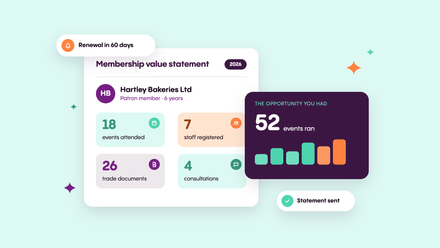
If you offer organizational memberships, each contact builds their own score and the organization’s score aggregates its employees, so the main contact can see whether the people they’re paying for are getting value. The status bands that scores fall into are yours to name, too. If you plan to show them to members, “you’re in our top 20% of engaged members” lands far better than “highly engaged”.
Test your member engagement scoring on real data before you go live
When you change point values later, the new values apply to new activity, and historical scores keep the weighting they were awarded under. That keeps your reporting consistent, but it also means early weighting mistakes stick around, so it’s worth testing the model against your own history first.
If you’re already on ReadyMembership, we can install engagement scoring on your test (UAT) environment, load a copy of your live data and generate scores from the previous 12 months of activity. You’ll quickly see whether members you know are engaged show up that way, and whether one activity is swamping the rest. Then check the results against an outcome you already know: look at who renewed and who lapsed last year, and which activities separated them. That gives you evidence for your weighting rather than a best guess.
Revisit the model as you learn
Treat your first version as a hypothesis. As data builds up, some activities will prove to be good predictors of renewal and others won’t, so remove the ones that don’t matter before they dilute the score, and add new ones as your programs change. If you have several goals, such as renewals and conference attendance, you don’t need a separate model for each. Keep one set of activities and build the segmentation into your dashboards and campaigns.
Where ReadyMembership fits
ReadyMembership’s engagement scoring extension sits on top of your CRM, so scores and statuses appear on member and organization records, in contact lists and in dashboards, ready to drive segments and campaigns. Our consultants help you choose and weight activities, test the model on your live data and design dashboards for staff and members, including My Account views that show members what they’ve used this year and what they could still do. Read how Staffordshire Chambers turned engagement data into a retention strategy, or see the engagement scoring features.