The true total cost of ownership: association management systems over 5 years
Selecting a new association management system is one of the most significant investments your organization will make. Done well, it transforms how your team works and how your members experience your association. Done without enough information, it can leave you managing costs you didn’t anticipate and having conversations with your board that you’d rather not have.
The problem isn’t usually that vendors are misleading you. It’s that most procurement processes aren’t set up to surface the right questions — so you end up comparing proposals that aren’t actually measuring the same things. One vendor’s license fee includes items that another vendor bills separately. One implementation quote is fixed; another is an estimate. One platform requires ongoing development investment to stay current; another doesn’t.
Understanding the total expenditures and the likely time and cost savings for your organization will keep you focused on why you are going through this process in the first place. For example, The American Association of Professional Landmen (AAPL) was spending over $200,000 a year across six disconnected platforms before consolidating onto a single system. Beyond the direct cost saving, the operational impact has been substantial: a certification review process that previously took 4 to 6 weeks now takes 2 weeks or less, and student membership applications that each required 15 minutes of manual data entry now take 8 minutes — a 57% reduction, across 600 applications a year. Association of Home Office Underwriters (AHOU), another US professional association, moved from manual spreadsheet-based administration to self-service member management and reclaimed hours of staff time every week. The Federation of European Self Storage Associations (FEDESSA), a European trade association, found their team was spending less than a third of the time on membership management after implementation compared to before. None of those savings show up in a license fee comparison — but all of them represent genuine financial impact over five years.
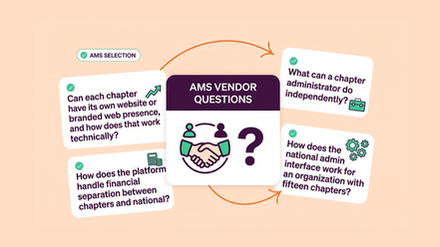
If you want a true like-for-like comparison, you have to ask for it. Here are some great questions to ask to make sure you are making the right comparisons.
What does the license fee actually include?
This sounds basic, but it’s where most comparisons go wrong. License fees can include very different things depending on the vendor and the platform architecture, so the first job is to understand exactly what you’re getting.
Some platforms bundle their website and member portal into the core license. Others charge separately for each. Some include ongoing feature releases as standard. Others bill for upgrades, either as a fixed annual fee or as a variable cost depending on what’s changing. Neither model is inherently better — but you need to know which model each vendor is using before you can compare them meaningfully.
How is implementation priced, and what happens if it runs long?
Implementation costs vary significantly — not just in amount, but in how they’re structured. A fixed-cost implementation gives you certainty: the project costs what it costs, regardless of how long it takes. A time-and-materials estimate gives you a best-case number, with the actual cost determined by what the project turns out to require.
Both approaches exist in this market. Neither is inherently wrong, but they carry very different risk profiles. Membership organizations have complex, often undocumented processes, and the full picture of what an implementation requires only becomes clear once the work is underway. When scope expands on a time-and-materials project, the cost expands with it.
How many systems and vendors does this solution involve?
Some AMS solutions are genuinely single platforms — CRM, website, member portal, events, and communications all built as one integrated product. Others are assemblies: a CRM platform with membership modules built on top, a separate content management system for your website, a member portal added on the side, and integrations connecting everything together.
Both can work. But they have meaningfully different cost profiles over time. Multi-system solutions involve multiple licensing relationships, multiple renewal cycles, and multiple points at which costs can compound unexpectedly. When one component needs a major upgrade, it has to be managed in the context of everything else it connects to. When an integration breaks, someone has to fix it — and that someone typically bills for their time.
What happens to our customizations when the platform updates?
Most associations require some degree of customization — a workflow that reflects how your credentialing process works, a member portal configured to your grade structure, a form built around your specific requirements. That customization represents an investment, and it’s worth understanding what that investment buys you over time.
On some platforms, customizations sit on top of the core product and are maintained separately. When the underlying platform updates, those customizations may need remediation work to keep functioning correctly. They don’t automatically benefit from improvements to the platform beneath them — they stay exactly as they were built unless you pay for further development.
On others, customizations sit within a more integrated architecture where the whole product evolves together.
What should we realistically budget for years 2 through 5?
Year 1 costs are usually the most clearly scoped. The implementation is defined, the license is agreed, and the requirements are reasonably well understood. The costs that surprise organizations tend to arrive in years 2 through 5: additional development work as needs evolve, support for new staff who require features the original build didn’t include, integrations that need maintaining as connected systems update, and platform upgrades that weren’t in the original budget.
The best vendors will be able to show you what similar clients have spent across a full contract term, not just what the initial proposal contains. That information is worth asking for.
What does this platform automate that we’re currently doing manually?
This question often gets left out of AMS evaluations entirely, but it’s one of the most financially significant. Staff time spent on manual processes — chasing renewals, reconciling data across systems, running reports by exporting to spreadsheets, handling member queries that a self-service portal would resolve automatically — represents a real and recurring cost that a better-configured system can materially reduce.
As the AAPL, AHOU and FEDESSA figures at the top of this piece show, the staff time savings from a well-implemented platform can be substantial — and they’re the numbers that most significantly define the real return on a five-year investment. The only way to surface equivalent figures from the vendors you’re evaluating is to ask.
Comparing the full picture
The goal of all of these questions is to get every vendor responding to the same brief, so that when you put proposals side by side, you’re actually comparing equivalent things. License fees, implementation costs, upgrade costs, support retainers, customization investment, and staff time savings should all be on the table for every option you’re evaluating.
At ReadyMembership, we build this breakdown into our proposals as standard, because we think you should be able to see the complete picture — and we think our complete picture holds up well. But whatever platform you’re considering, you should expect the same level of transparency from every vendor you’re reviewing. If a vendor isn’t willing or able to answer these questions clearly, that’s useful information too.
For a deeper look at how platform architecture affects total cost of ownership specifically in the context of CRM-based and customized solutions, Cheryl Quin, our Head of Business Development for EMEA, has written a detailed comparison that’s worth reading alongside this piece.