How to manage virtual, hybrid, and in-person events in one platform
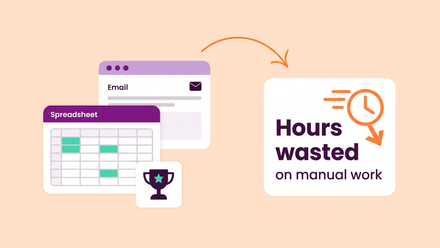
Your members are scattered across time zones, your annual conference needs an in-person and online track, and your monthly CPD webinar series runs entirely on Zoom. If you're managing each of these through separate tools — one for registration, another for virtual delivery, a spreadsheet for finances — you're not alone. But you are making life harder than it needs to be.
The good news? Modern association management software now makes it possible to plan, promote, and deliver every event format from a single admin interface. No more toggling between platforms. No more re-keying attendee data. No more reconciling invoices across three different systems.
In this guide, we'll walk through how to handle virtual, hybrid, and in-person events in one place — and why getting this right matters more than ever for membership organisations.
Why event format flexibility matters for associations
The days of choosing one format and sticking with it are over. Research from EventsAir's 2026 industry report found that while 97.4% of event professionals still rate in-person events as important to their strategy, planners are now deploying hybrid and virtual formats far more intentionally — using them to expand reach, extend content lifespan, and accommodate members who can't travel.
For membership organisations, this shift is particularly significant. Your audience is often geographically dispersed, professionally time-poor, and expects real value from every interaction. A regional chapter dinner requires a completely different setup from a global webinar on regulatory changes. Yet both need to feed into the same CRM, trigger the same follow-up communications, and show up in the same reporting dashboard.
That's where having the right software for associations becomes a genuine competitive advantage — not just for your events team, but for finance, marketing, and member engagement too.
Managing virtual events without the platform juggle
Virtual events have matured well beyond the pandemic-era scramble. They've found their niche in CPD delivery, internal communications, new-member onboarding, and specialist topic webinars where travel simply doesn't make sense.
The challenge for most associations isn't the webinar tool itself — Zoom and GoToWebinar are both proven platforms. The challenge is the admin around it: manually creating registrations, copying join links into emails, chasing attendance data after the fact, and trying to connect it all back to your member records.
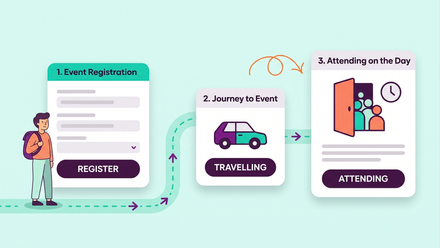
With a properly integrated approach, your membership management software handles the heavy lifting. When you create a virtual event, the corresponding webinar is automatically set up in Zoom. Each registrant receives a unique join URL in their confirmation email, on their booking page, and in their calendar entry. When the event ends, attendance data — including how long each person actually stayed — syncs straight back into your CRM.
This matters because engagement data is gold for associations. Knowing that a member attended 45 minutes of a 60-minute session tells you something very different from knowing they registered but never showed up. That data can shape renewal conversations, inform content strategy, and help you demonstrate the value of membership to your board.
Practical tips for virtual event success:
- Use email variants to send virtual-specific communications with personalised join URLs, rather than cluttering the message with venue details that don't apply.
- Enable practice sessions so hosts and panelists can test their setup before attendees join — a small step that dramatically reduces technical hiccups on the day.
- Track attendance duration, not just registration numbers. This gives you a much more honest picture of engagement and content quality.
Making in-person events run smoothly at scale
In-person events remain the backbone of most association event programmes. From annual conferences with hundreds of delegates to intimate awards dinners and regional networking meetups, face-to-face interactions build the relationships that keep members engaged year after year.
The complexity, however, scales quickly. A multi-day conference might involve dozens of sessions across multiple streams, a call for abstracts, speaker management, table planning for the gala dinner, tiered ticket pricing, and sponsor coordination — all before you've thought about dietary requirements.
The advantage of managing all of this within your association management software is that everything connects. A delegate who books a conference ticket is already a contact in your CRM. Their session choices feed into capacity management. Their invoice integrates with your accounting system (whether that's Xero, Sage, or QuickBooks). And when they check in via QR code on the day, your team has real-time visibility of who's in the room.
Recent platform developments have also introduced features like session-level search and filtering, allowing delegates at larger conferences to find relevant sessions by topic or stream rather than scrolling through a flat agenda. It's a small UX improvement that makes a noticeable difference when you're running an event with 15 streams and 200 sessions.
Practical tips for in-person events:
- Build a reusable speaker database. If the same experts present at your events year after year, you shouldn't be re-entering their details each time.
- Use pending bookings to reserve capacity before payment is confirmed — particularly useful for organisations where delegates need internal sign-off before their employer pays.
- Consider basket functionality for members who want to book multiple events in a single transaction. It reduces friction and increases the chances of them registering for that extra workshop.
The hybrid approach: combining formats without doubling the work
Hybrid events used to mean doubling your workload — running a full in-person event and a full virtual event simultaneously, often with separate teams and separate tools. That's no longer necessary.
The more practical approach, and the one that most associations are now adopting, is to think of hybrid as a flexible configuration rather than a distinct event type. You create one event. Within it, you designate which sessions are in-person, which are virtual, and which are available both ways. Different ticket types let you manage pricing and access for each audience, while email variants ensure that virtual attendees get their Zoom links and in-person attendees get venue directions — all automatically.
This approach works particularly well for annual conferences where you want to offer a virtual attendance option alongside the main physical event. International members, or those with accessibility needs, can still participate meaningfully without the cost and time commitment of travel.
From an industry perspective, this model is gaining real traction. Bizzabo's 2026 event marketing benchmarks note that 86% of B2B organisations reported a positive ROI within seven months of hosting a hybrid event, largely thanks to the broader audience reach and extended content lifespan that virtual components provide.
Practical tips for hybrid events:
- Use session tagging and stream categorisation so that both virtual and in-person attendees can easily navigate the agenda and find what's relevant to them.
- Don't treat virtual attendees as second-class participants. Ensure they have access to Q&A, polling, and session materials on the same timeline as those in the room.
- Utilize the recording. Virtual components naturally create on-demand content you can offer to members who couldn't attend either version — extending the value of a single event well beyond the live date.
Why a unified platform beats bolted-together tools
The real argument for managing all event types in one platform isn't about any single feature. It's about the compound effect of connected data.
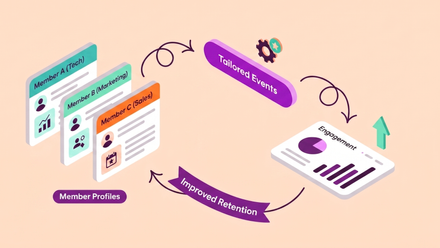
When your event registrations, attendance records, financial transactions, email communications, and member profiles all live in the same system, you unlock insights that siloed tools simply can't provide. You can see which members attend events regularly and which have gone quiet. You can track revenue per event type, identify your most profitable formats, and make data-led decisions about your future programme.
For finance teams, a single platform means consistent invoicing, streamlined refund processing with proper credit note management, and one integration with your accounting software — regardless of whether the event was a virtual webinar or a three-day conference.
For your members, it means one login, one "My Events" dashboard, and a consistent booking experience every time. They don't care whether you're running Zoom behind the scenes or coordinating a 500-seat venue. They just want to find the right event, register without friction, and get the information they need to show up prepared.
Choosing the right software for your association's events
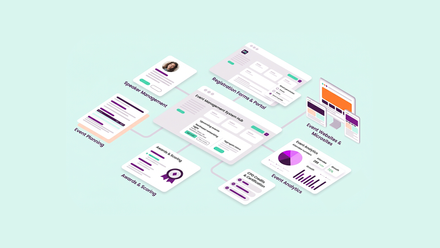
Not all association management software handles events equally. Some platforms offer basic calendar listings and RSVP forms. Others provide the full stack: multi-day conference management, Zoom integration, abstract submissions, table planning, automated ticketing with basket functionality, and real-time analytics.
When evaluating your options, consider the breadth of your event programme. If you're running a mix of webinars, workshops, regional meetups, and an annual conference, you need a platform that can flex across all of those without requiring workarounds.
Look for native integrations with webinar tools rather than third-party connectors that introduce another point of failure. Check that the platform handles the financial side properly — not just payments, but credit notes, refunds, and tracking codes for profit-and-loss analysis by business unit. And make sure that attendee data flows back into your CRM automatically, because manual data entry after every event is exactly the kind of admin burden that membership management software should be eliminating.
Explore ReadyMembership's event management features →
The bottom line
Your members don't think in terms of "virtual events" and "in-person events." They think in terms of valuable experiences that fit their schedule. The associations that deliver on that expectation — seamlessly, across every format — are the ones that will see stronger attendance, better engagement data, and higher renewal rates.
Managing virtual, hybrid, and in-person events from a single platform isn't just an operational convenience. It's a strategic advantage that touches every part of your organisation, from the events team to finance to the CEO reading the annual engagement report.
If your current setup has you juggling multiple tools, re-entering data, and losing visibility of the full picture, it might be time to see what a unified approach looks like in practice.